systems / lampyr-home
Lampyr Home
An ad-free TV launcher that Home Assistant can drive
A TV should behave like a device you manage, not an ad you own.
- Period
- November 2026
- My role
- Creator. Designed the launcher; built the Android app, the companion service, the layered config, and the network deploy tooling.
- State
- Running on the TVs in my house. Open source.
- 3TVs on one configtwo Fire TV sticks and a Google TV box
- 9Tile action typesapp, deep link, HDMI, Home Assistant, Plex, Immich, script, web, arcade
- 2 daysIdea to living room
- Kotlin
- Jetpack Compose for TV
- Media3
- OkHttp
- Home Assistant
- Python
- ADB
- Docker
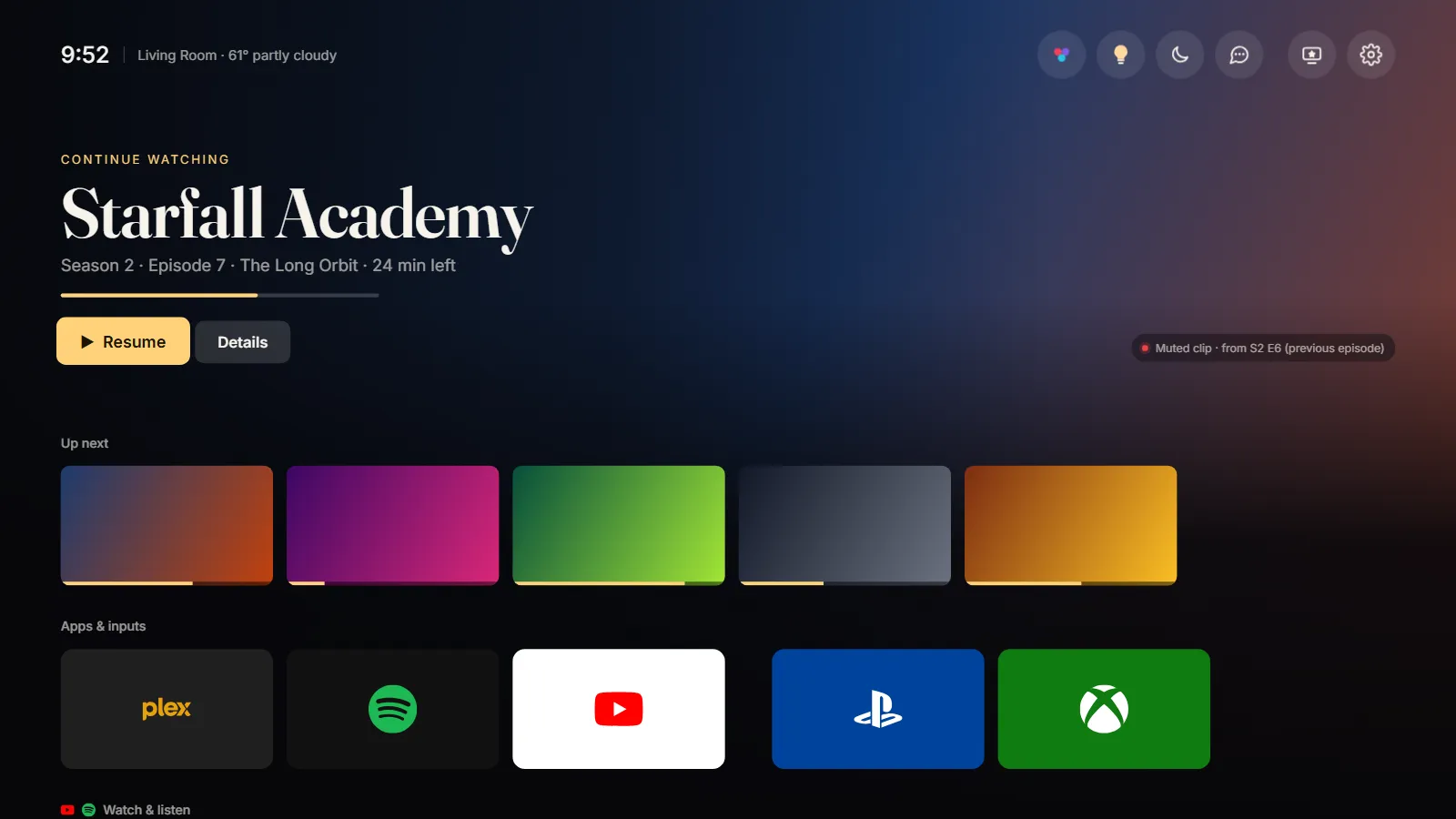
Diagram nodes, in flow order: Layered config (common · room · secrets); deploy.py (network ADB · IR wake · undo); Lampyr Home (Compose for TV · screensaver); Home Assistant (websocket events · scenes); Media APIs (Plex · Immich · YouTube); Companion service (Spotify · Jam links); The household (one remote · no ads).
Why
The stock home screens on our TVs were ad surfaces with a Plex tile somewhere on page two. The household watches Plex, then Spotify, then YouTube, and the house already runs on Home Assistant. So the launcher puts those first and lets the house drive the TV.
What it does
The home screen opens on whatever we were watching, with real art from Plex and a muted clip from the previous episode. Up next, YouTube and Spotify, apps, HDMI inputs, and Home Assistant scenes sit underneath. A custom screensaver has modes Home Assistant can switch per room, and a restricted-content toggle lives on the same dashboard as the lights. The companion service lists recent Spotify playlists and sends a Spotify Jam link to a group chat through Beeper, without message content ever reaching the TV.
Deployed like a fleet
Each room is a layered JSON config: common settings, then the room, then secrets. deploy.py installs the app and config over network ADB. If a TV is asleep it sends a single IR wake through Home Assistant and a Broadlink blaster first. It backs up every TV setting it changes, so --undo returns a TV to stock, and --watch redeploys on save. Adding a TV is a new room file and one command.
On the TV, the app runs as a home and Leanback launcher with a screensaver service, an accessibility service that remaps remote buttons, and a receiver for ADB commands. It targets Fire OS 6 and up, so the oldest stick in the house runs it too.